


Watch a tutorial on Android
Start in your workout or exercise search. Tutorial videos appear when that exercise has linked videos.
Open the exercise details
Preview an exercise from search, or open its details or history from your workout.
Find Tutorial videos
Scroll through the exercise details to the Tutorial videos section. Tap the clip you want to watch.
Return to your workout
The video opens in a browser view. Use Back or close that view to return to Vora and continue your sets.
Watch a tutorial on iPhone
You can open the video from the same exercise details you use to review an exercise.
Tap an exercise in your workout queue
Open its details and scroll to Tutorial videos.
Choose a tutorial
Tap a video row. Vora opens its TikTok viewer.
Close the video and keep training
Return to your exercise, then log your sets as usual.
See it in Vora
Exercise tutorials sit alongside your workout. This earlier iPhone screenshot shows the Tutorials shortcut next to set logging. For the current steps, use the phone instructions above.
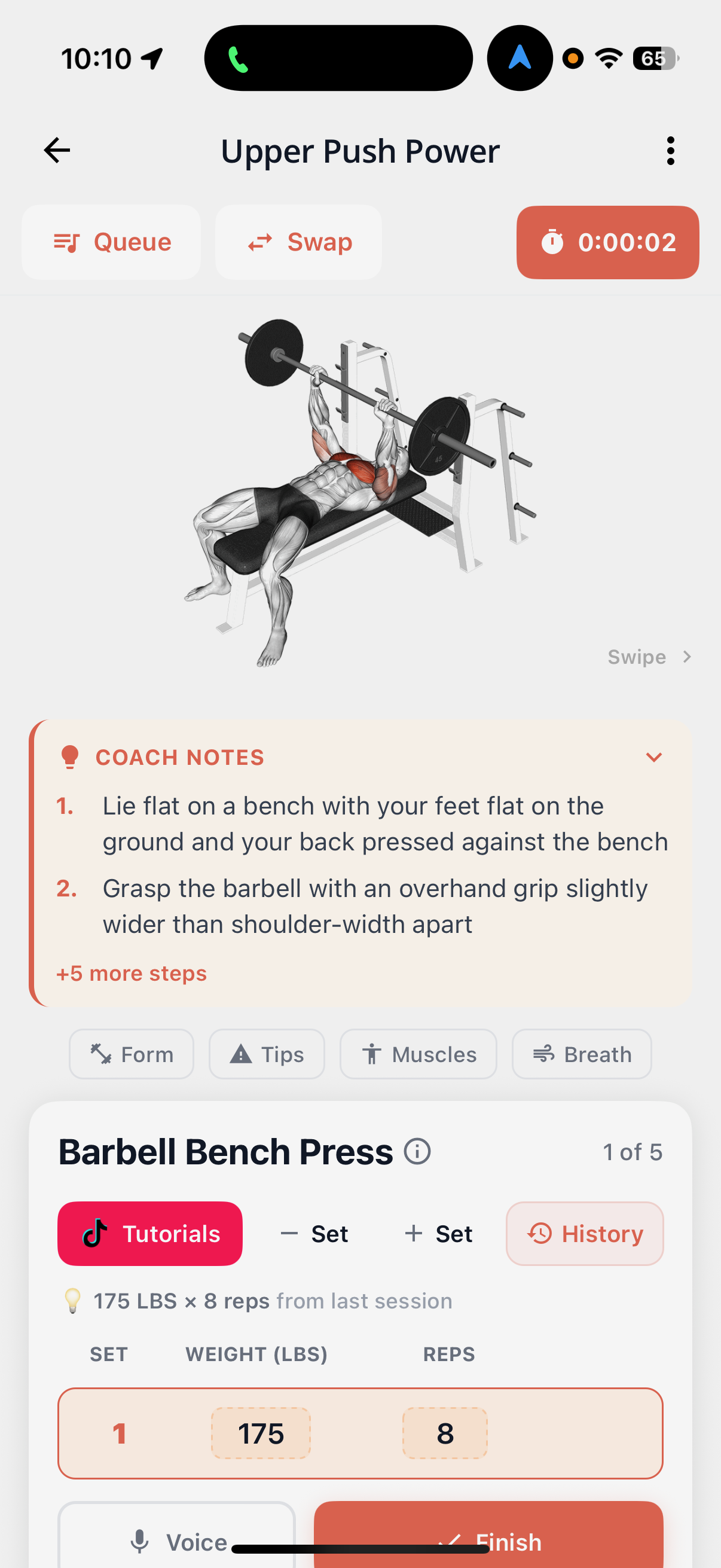
A demo where you need it
Use a clip to check the starting position, equipment setup, or how a movement looks before a set.
These are tutorials attached to exercises in Vora. This feature does not turn any pasted TikTok workout into a complete training plan.
If a video is missing
Some exercises have no linked tutorial. The video section stays hidden when there are no videos to show.
A creator can remove a post or make it private. If a clip will not play, check your connection or try another available tutorial. You can still return to your workout.
Common questions
Are TikTok workout videos free in Vora?
Yes. Watching the available exercise tutorials is included in Vora Free on Android and iPhone.
Can I paste any TikTok workout and import the whole routine?
This feature shows tutorials linked to individual exercises. It does not import a complete workout from any TikTok link.
Does every exercise have a video?
No. Tutorial videos appear when linked clips are available for that exercise.
Does Vora download the videos for offline use?
No. This feature opens linked TikTok videos. You need an internet connection, and the original post must remain available.