

Connection status
How Vora gets Samsung Health data today
Checked against the Vora iPhone and Android apps on .
- iPhone
- Not available (Samsung Health does not share with Apple Health)
- Android
- Health Connect, plus a direct Samsung Health connection on Android 10 or later
- The direct Samsung Health connection reads Samsung Health on the same phone and needs the Samsung Health app. It adds Samsung’s Energy Score, skin temperature and fuller body composition, such as skeletal muscle mass and body water.
- Vora does not receive HRV, resting heart rate or respiratory rate from Samsung Health through either route.
About This Integration
Samsung Health is the health app on Galaxy phones and Galaxy Watch. It records steps, heart rate, sleep, workouts, blood oxygen and body composition.
On Android, Vora reads Samsung Health records through Health Connect. Vora’s Android app also offers a direct Samsung Health connection that reads Samsung Health on the same phone. It needs Android 10 or later and the Samsung Health app, and it adds Samsung’s Energy Score, skin temperature and fuller body composition, such as skeletal muscle mass and body water.
Samsung Health does not share with Apple Health, so Vora has no Samsung Health route on iPhone. Through either Android route, Vora does not receive HRV, resting heart rate or respiratory rate from Samsung Health.
What Data Syncs from Samsung Health
- Steps, distance and workouts (Health Connect)
- Heart rate (Health Connect)
- Sleep with stages (Health Connect)
- Blood oxygen, VO2 max, weight and body fat (Health Connect)
- Energy Score and skin temperature (direct Samsung Health connection)
- Body composition, including skeletal muscle mass and body water (direct Samsung Health connection)
What Vora Does With Your Samsung Health Data
- Uses Samsung Health sleep in Vora’s Sleep score and heart rate in continuous stress tracking
- Shows Samsung Health workouts in the same workout summary as workouts you log in Vora
- Lets you rank Samsung Health against your other sources for each metric, with Vora Pro
- Answers questions about your data in Vora’s AI coach, with charts of your own numbers
How to Connect Vora to Samsung Health
- 1Install Vora from Google Play and sign in
- 2In Samsung Health, tap the menu, then Settings, then Health Connect, and turn on the categories you want to share
- 3In Vora, allow access to those Health Connect records
- 4For the direct connection, open Settings, then Connections, then Samsung, and grant access on Samsung’s own consent screen
Frequently Asked Questions
Does Vora integrate with Samsung Health?
Yes, on Android. Vora reads Samsung Health through Health Connect, and a direct Samsung Health connection adds Energy Score, skin temperature and fuller body composition.
Does Vora work with Samsung Galaxy Watch?
Yes, with an Android phone. Galaxy Watch data that Samsung Health records reaches Vora through Health Connect and the direct Samsung Health connection.
Can I use Samsung Health with Vora on iPhone?
No. Samsung Health does not share with Apple Health, so there is no route to Vora on iPhone.
Does Vora get HRV from Samsung Health?
No. Samsung Health does not provide HRV, resting heart rate or respiratory rate to Vora through Health Connect or the direct connection.
Connect Samsung Health to Vora
Download Vora free and connect your Samsung Health data.
Explore Vora Features
Connect what you already own.


Vora for Android
Bring wearable data and food logging together on Android. Use Vora with Health Connect, track meals, and make sense of sleep and activity.




Wearable sync database
Device by device: what Oura, WHOOP, Garmin, Fitbit, Samsung and 16 more send to Apple Health, Health Connect and Vora. Checked September 14, 2026.
Health Connect setup
Set up Health Connect for Vora on Android. Check source app sharing, Vora permissions, missing records, and background sync.
Samsung Health setup
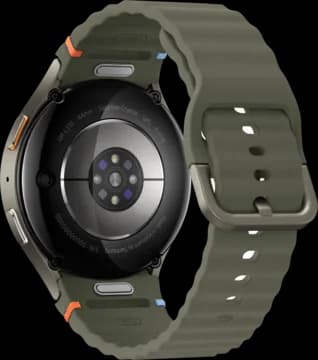
Connect Galaxy Watch to Vora: Health Connect for shared records, Samsung Health for extra data, and the Vora watch app for overnight HRV.
 Beta
BetaWHOOP on Android
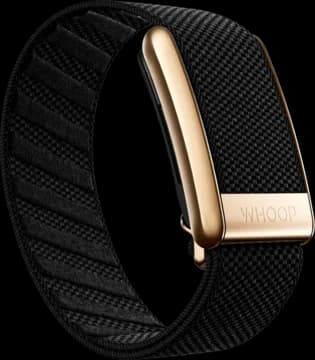
Connect WHOOP to Vora for free on Android through our direct integration beta. Bring WHOOP sleep, HRV and workout strain together with your meals and workouts.
Garmin on Android
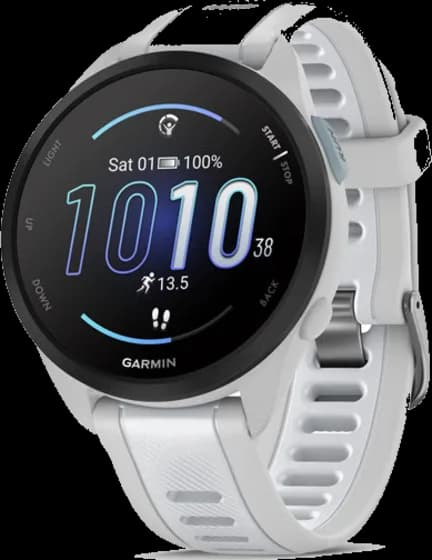
Bring Garmin data into Vora on Android. Connect your account, choose what to share, and fix missing records by checking Garmin Connect first.