
Connect your WHOOP account
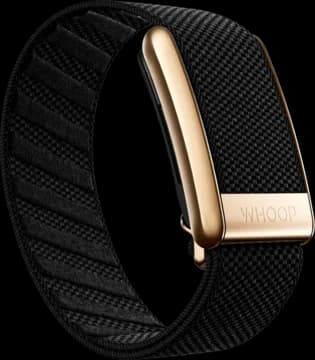
Start with an up-to-date Vora app and a WHOOP account. Sync your band with the WHOOP app first.
Open WHOOP in Vora settings
Find WHOOP in your device connections. Check whether a beta connection is available.
Sign in and choose what to share
Follow the connection screen to sign in to WHOOP and grant access. Return to Vora when authorization finishes.
Check your first sync
Review the connection status and the records you want to import. Compare a recent night or workout with the WHOOP app.
If beta connections are full
WHOOP limits the number of people who can connect while it reviews Vora. The app shows when direct connections are full.
You can use Health Connect in the meantime. This route shares a different set of records, so do not expect the same HRV and sleep stage detail as a direct connection.
What the direct connection adds
The direct connection reads supported WHOOP recovery, sleep, and workout records. Recovery data can include HRV, resting heart rate, blood oxygen and skin temperature, but not the recovery score itself. Sleep records can include time in each sleep stage, and workouts carry their strain. Day strain is not imported.
Review the import options in Vora to choose what to bring in. Your meals and workout logs add context alongside these records. Your WHOOP app remains the source for your band’s data.
Missing a night or workout?
Check WHOOP first. Give the band time to sync and WHOOP time to process the record. Then return to Vora and check the connection status or use Sync now.
If a direct connection is active, Vora prioritizes it over the same WHOOP records relayed through Health Connect. Disconnecting the direct connection allows the Health Connect route to take over again.
Common questions
Is the WHOOP integration free?
Yes. Vora’s WHOOP connection is free, including during the beta. WHOOP’s own device and membership requirements still apply.
Is the WHOOP connection available to everyone?
The direct connection is in beta and has limited spots while WHOOP reviews Vora. Check the WHOOP connection screen in the app. Health Connect is another route for the records WHOOP shares there.
Does this replace my WHOOP membership?
No. Vora connects to your WHOOP account. WHOOP’s own device and membership requirements still apply.
Can I disconnect WHOOP?
Yes. Disconnect in Vora’s WHOOP settings. Stopping the connection does not delete records already imported into Vora. Use Vora’s account and data controls for deletion.