
Connection status
How Vora gets Health Connect data today
Checked against the Vora iPhone and Android apps on .
- iPhone
- Not available (iPhone uses Apple Health instead)
- Android
- Vora reads Health Connect on your Android phone
- You choose each data type in Health Connect. Vora syncs whatever you allow, and a type you turn off leaves out only that metric.
- Health Connect lets an app read up to 30 days of data from before you first grant access. If your phone offers access to past data and you allow it, Vora imports up to a year.
- Without background access, updates may wait until you open Vora.
- If you allow it, Vora writes the meals, water and finished workouts you log in Vora back to Health Connect.
About This Integration
Health Connect is Android’s shared store for health and fitness data. On Android 14 and later it is part of your phone’s settings, and on Android 13 and earlier you install the Health Connect app from Google Play. Each app asks for permission to read or write specific data types, and you can change or remove that access at any time.
Vora reads Health Connect on Android. When another app, such as Samsung Health or your wearable’s app, writes records to Health Connect, Vora can read them there. Vora labels each record with the app it came from and avoids counting the same data twice when several apps write it.
Vora makes the Vora app, so this page is not an independent review. What other apps share comes from each company’s own help page, and what Vora reads and writes comes from the Vora Android app code, both checked on September 15, 2026.
What Data Syncs from Health Connect
- Steps, distance and floors climbed
- Active calories, total calories and basal metabolic rate
- Workouts
- Heart rate, resting heart rate and HRV (RMSSD)
- Sleep, including sleep stages
- VO2 max
- Blood oxygen, respiratory rate and body temperature
- Blood glucose
- Weight, body fat and lean body mass
- Nutrition and water
- Menstrual flow
- Also, if you allow them: height for your profile, and GPS routes for your workouts
What Vora Does With Your Health Connect Data
- Syncs whatever you allow. If you turn one data type off, Vora leaves out only that metric and keeps syncing the rest
- Reads the last 30 days on your first sync, and up to a year back if your phone offers access to past data and you allow it
- Can keep syncing in the background if you allow background access and all-day sync. Otherwise, updates may wait until you open Vora
- Labels each record with the app it came from, such as Samsung Health, Fitbit or Garmin
- Uses your sleep, heart rate, HRV and activity in Vora’s scores and its AI coach
- Writes the meals, water and finished workouts you log in Vora back to Health Connect, if you allow it
How to Connect Vora to Health Connect
- 1Install Vora from Google Play and sign in
- 2On Android 13 or earlier, install Health Connect from Google Play first. On Android 14 and later it is already in your phone’s settings
- 3In Vora, open Settings, then Connections, then Health Connect, and tap Connect
- 4Allow the data types you want Vora to read. If your phone offers background access and access to past data, allow those too
- 5Make sure each source app, such as Samsung Health or your wearable’s app, is allowed to write the same data types to Health Connect
- 6Check a recent record in Vora. To change access later, tap Review permissions or Manage in Health Connect
Apps that work with Health Connect
What each company’s own help page says its app shares with Health Connect, checked on September 15, 2026. Check the app’s settings too, because what it shares can change.
| App | What it shares with Health Connect | Source |
|---|---|---|
| Samsung Health | Syncs activity data such as steps and exercise, heart rate and sleep with Health Connect. | Samsung: Health Connect FAQ |
| Google Health (Fitbit devices) | Shares data both ways: data from other Health Connect apps appears in Google Health, and Google Health can share its data with those apps. Needs Android 9 or later. | Google Health Help: Health Connect |
| Garmin Connect | Sends activity and wellness data, including calories, distance, heart rate, steps, floors climbed, sleep stages, weight and body fat, after each device sync. It is one way: Garmin does not read from Health Connect. Needs Android 14 or later. | Garmin: sharing data with Health Connect |
| Oura | Writes steps, active calories, distance, workouts, sleep, heart rate, HRV, height and weight, and reads some activity, weight, blood pressure and heart rate data. Android only, with an Oura membership. | Oura: Health Connect by Android |
| WHOOP | Exports workouts, calories, steps, sleep, resting heart rate, respiratory rate and blood oxygen, and imports workouts, distance, calories and body measurements. It does not share VO2 max, and some data types depend on the WHOOP membership. | WHOOP: Health Connect integration for Android |
| Withings | Exports the Withings data categories you choose to Health Connect, from Settings in the Withings app, and can import Health Connect data too. | Withings: exporting data to Health Connect |
| Strava | Sends time, distance and calories from GPS-based activities, and receives weight. Android app only. | Strava: Health Connect and Strava |
| Peloton | Shares workout metrics from your Peloton workouts with Health Connect, on Android phones and tablets. | Peloton: connecting to Health Connect |
| Vora | Reads the 22 data types listed above for the ones you allow, and writes back the meals, water and finished workouts you log in Vora. | Vora setup guide: Health Connect |
Frequently Asked Questions
Which health and fitness apps work with Health Connect?
Many Android apps do. Samsung Health, Google Health, Garmin Connect, Oura, WHOOP, Withings, Strava and Peloton each describe Health Connect sharing on their own help pages, and Vora reads Health Connect on Android. What each app shares differs, so check its settings.
What does Vora read from Health Connect?
Up to 22 data types, for the ones you allow: steps, distance, floors climbed, active and total calories, basal metabolic rate, workouts, heart rate, resting heart rate, HRV, sleep, VO2 max, blood oxygen, respiratory rate, body temperature, blood glucose, weight, body fat, lean body mass, nutrition, water and menstrual flow. It can also read your height for your profile and the GPS routes of your workouts.
Does Vora write data to Health Connect?
Yes, if you allow it. Vora writes the meals, water and finished workouts you log in Vora, and it skips its own records when it reads, so they are not counted twice.
Why can’t Vora see my older data?
Health Connect lets an app read up to 30 days of data from before you first grant access. If your phone offers access to past data and you allow it, Vora imports up to a year. Some apps only share records from the day you connected them.
Do I need to open Vora for Health Connect to sync?
Not if your phone offers background access and you allow it, along with all-day sync. Without it, updates may wait until you open Vora.
Why is my watch’s HRV missing in Vora?
Vora can only read what your watch’s app writes to Health Connect. Garmin’s and WHOOP’s help pages do not list HRV among the data they send to Health Connect. Vora’s direct Garmin connection imports HRV and VO2 max, and its direct WHOOP (beta) connection imports HRV.
Is Health Connect available on iPhone?
No. Health Connect is for Android. On iPhone, Vora reads Apple Health.
Sources
Connect Health Connect to Vora
Download Vora free and connect your Health Connect data.
Explore Vora Features
Connect what you already own.

Vora for Android
Bring wearable data and food logging together on Android. Use Vora with Health Connect, track meals, and make sense of sleep and activity.


Wearable sync database
Device by device: what Oura, WHOOP, Garmin, Fitbit, Samsung and 16 more send to Apple Health, Health Connect and Vora. Checked September 14, 2026.
Health Connect setup
Set up Health Connect for Vora on Android. Check source app sharing, Vora permissions, missing records, and background sync.
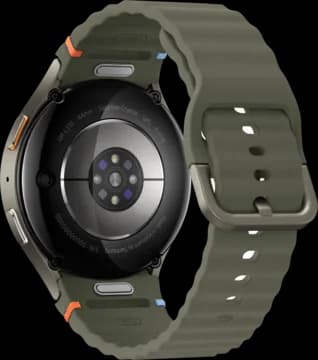
Samsung Health setup
Connect Galaxy Watch to Vora: Health Connect for shared records, Samsung Health for extra data, and the Vora watch app for overnight HRV.
 Beta
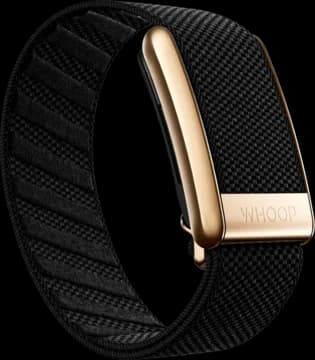
BetaWHOOP on Android
Connect WHOOP to Vora for free on Android through our direct integration beta. Bring WHOOP sleep, HRV and workout strain together with your meals and workouts.
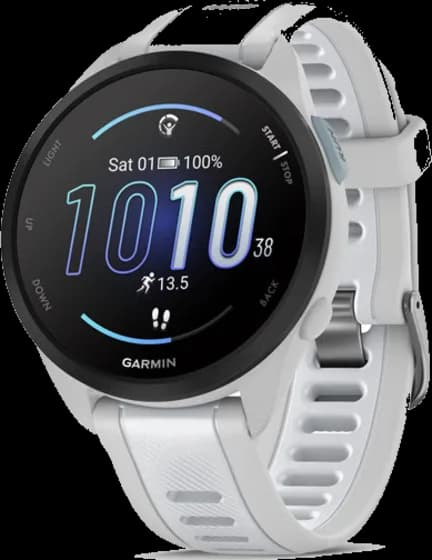
Garmin on Android
Bring Garmin data into Vora on Android. Connect your account, choose what to share, and fix missing records by checking Garmin Connect first.