Android Guide
Is Bevel on Android? Not yet. As of September 27, 2026, Bevel's health app still offers an iOS download. Its Android request is under review, with no release date listed.
You can still track health data on Android. Start with your watch below to compare the app you already have, what Vora adds, and which records can actually sync.
Which Bevel Alternative Works With Your Watch?
If you want your device's own scores, start with its companion app. If you want wearable data alongside food, workouts and AI coaching, check a separate app's connection limits first. We make Vora, so this is a guide to your options, not an independent ranking.
Choose your setup: Galaxy Watch · Fitbit or Pixel Watch · Garmin · Oura · Multiple devices or no watch
Samsung Galaxy Watch
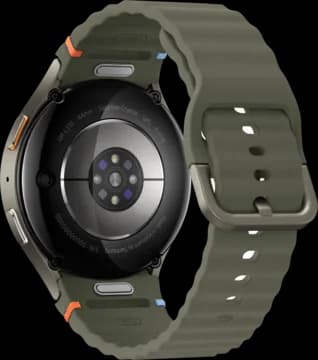
Start with Samsung Health. It is the Android companion app for your Galaxy Watch. You do not need Bevel to see the records your watch already collects.
What Vora adds: food and workout logs alongside supported watch data. Health Connect carries shared records such as steps, sleep and heart rate. Vora's separate Samsung Health connection can read body composition, skin temperature and Energy Score on supported setups.
HRV needs a different route. Samsung Health does not share it through Health Connect. Vora's watch app measures overnight HRV on compatible Galaxy Watches. That requires the watch app and its permissions; connecting Samsung Health alone does not turn it on.
See the three Samsung connection routes and setup steps · Samsung Health on Google Play
Fitbit, Fitbit Air or Pixel Watch
Start with Google Health (Fitbit). Google's Android app supports Fitbit and Pixel Watch. Its AI coach requires Google Health Premium and is available in selected countries.
For Vora: check the Fitbit connection offered in the app or use the records your source app shares through Health Connect. Direct Fitbit access has limited spots. Do not assume that a Pixel Watch or a Fitbit Air exposes every metric through the same route.
Bevel's Google Health integration does not change its phone requirement. It brings supported Google Health data into Bevel on Apple devices; it is not an Android release.
Set up Health Connect · Check the records each connection shares · Google Health on Google Play
Garmin Watch
Start with Garmin Connect. Keep it for your Garmin records and device-specific scores. You can use it on Android without Bevel.
What Vora adds: a direct Garmin connection for supported sleep, heart rate, HRV and workout records, alongside nutrition and coaching. Garmin's Body Battery and Training Readiness scores do not transfer to Vora. Vora's own scores can differ.
Connect Garmin to Vora on Android · Garmin Connect on Google Play
Oura Ring
Start with the Oura app. It is available on Android. You do not need an iPhone or Bevel to use Oura's own app.
What Vora adds: connect your Oura account to bring supported ring data together with your meals and workouts. Check the imported dates and categories. Oura's own hardware and membership requirements still apply.
See Vora's Oura connection · Oura on Google Play
Multiple Devices, or No Watch Yet
If you wear an Oura Ring for sleep and a Garmin for workouts, Vora can bring supported records into the same app. Add food and workout logs for more context. Vora's proactive AI coaching uses the health context available to it. AI coaching is part of Pro.
You can also start without a wearable. Barcode scanning, food logging and workout logging are free. A phone without a connected sensor will not produce overnight HRV or a full wearable history.
Explore Vora for Android · How proactive coaching fits · Free and Pro features
What Can You Use for Free?
Vora's barcode scanner, food and workout logging, and supported health data connections are free. AI coaching is part of Pro. Connecting a paid wearable service to Vora does not remove that service's own device or membership costs.
Bevel also has a free tracking tier on Apple devices. Its paid Pro tier adds AI and other features. Price does not solve the Android limitation: the Bevel health app still needs a supported Apple device. See Bevel's current plans or our pricing breakdown.
Try Your Connection Before Choosing an App
- Sync your device first. Find a recent sleep or workout record in its companion app.
- Choose a route. In Vora, open Settings, then Connections. Choose your service or Health Connect and review the data permissions.
- Check a real record. Compare its date, time and source in Vora with the companion app. A connected label alone does not prove that data has arrived.
- Check the limits. Missing HRV, history or a proprietary score may be a connection limit. Use the guide for your device before repeatedly reconnecting or paying for AI.
Get Vora free · Check wearable sync · Compare Bevel and Vora
When Is Bevel Coming to Android?
There is no confirmed release date in the public Android request we checked on September 27, 2026. Its status is Under review. That is not a scheduled launch or a promise that it will never happen. Use Bevel's own board for updates.
Does Google Health Support Mean Bevel Works on Android?
No. Bevel documents a Google Health data connection, including Fitbit data. A data connection and an Android app are separate things. Bevel also connects to Garmin and Oura, but owning one of those devices does not make Bevel run on an Android phone.
Is There an Official Bevel APK?
We found no official Android download for Bevel's health app. Use the download linked from Bevel's own website to check what it distributes. An iPhone app cannot be installed as an Android APK.
There is a different app called Bevel: Sensor Toolbox on Google Play, published by Zone7 Studios. It provides tools such as a level and compass. It is not Bevel's AI health coach. The shared name does not make it a fake app, but it will not replace the health app you were looking for.
For a download claiming to be the Bevel health app, check the publisher and the official website before granting access to your account or health data.